

Dime Dime Baby Template: The Original Clip, Your Photo
A failed render costs you nothing.
Made with Dime Dime Baby AI
The baker

The abuela
The vampire
The pug
The cat
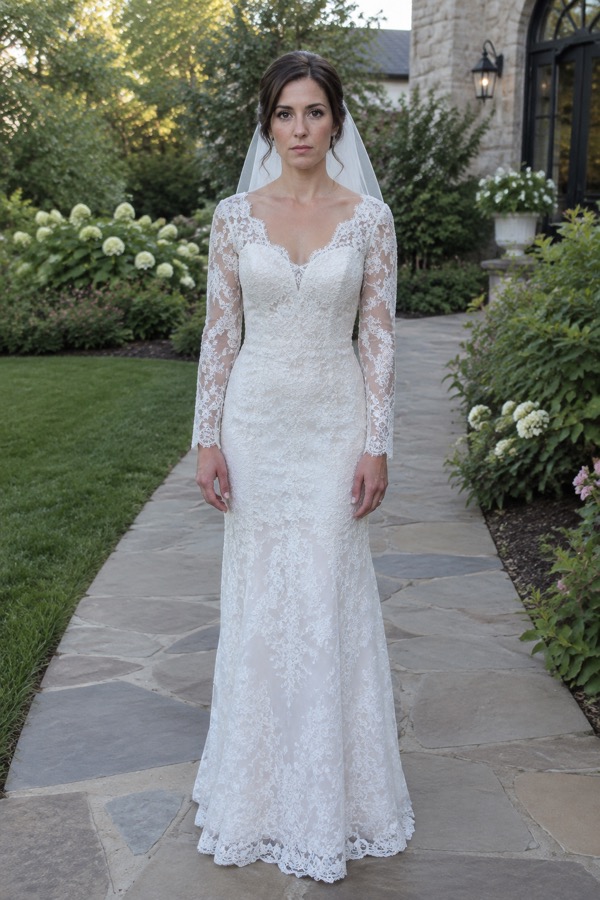
The bride
What a dime dime baby template is
A dime dime baby template is a ready-made version of the viral quinceañera clip that you fill with your own subject instead of staging the scene yourself. Three kinds are in use: CapCut meme templates, green-screen versions of the clip, and AI templates like the two on Dime Dime Baby AI.
CapCut template
Meme templates for the trend exist in CapCut, published by template creators. Compared with a one-photo upload they need more steps, since the work happens inside the app and each creator sets up the edit differently.
Green-screen template
Green-screen meme versions of the clip exist too. They are another route with more steps, because the keying and layering are done by you in an editor.
Original template, on this site
Built on the real clip, with a person in his place. Upload a photo of yourself or of a friend who agreed, and they walk in, bite, stare and dance off just as he does.
Pet template, on this site
The same shot with a dog, cat or other pet in his place. Face and fur come from your photo; the dance floor, the guests and the camera come from the clip.
What the dime dime baby template can and cannot change
It changes who is in the clip and keeps everything else. The moves your subject copies are listed on the dime dime baby dance page.
Changes: who takes his place
The subject of your photo takes over from the guy and copies his moves one for one: walk-in, concha, bite, stare and, in the 9-second length, the dance-off.
Keeps: the party, the camera, the timing
The dance floor, the guests, the way the camera follows him and the timing of every move all come from the original clip. The background of your photo is never used.
Keeps: the original party sound
The download carries the party audio from the clip, not the song. "BbY WOW" is added as a sound in TikTok or Instagram, which is also how your post joins the trend.
Picking the right dime dime baby template for your photo
Two choices shape the result: the template and the photo. Every option is explained in the guide on how to make dime dime baby AI video.
Bby wow template details worth knowing
These details follow from building the template on the same footage that started the dime dime baby trend.
Timed like the original
The bite comes at about 3 seconds and the stare runs from about 4 to 5.5 seconds, as in the original. The trend's sped-up BbY WOW cut is built around that bite, so the timing you get is the one the sound was cut for.
Nothing to cut or key
There is no editing timeline. The download is a horizontal 16:9 MP4, framed like the original clip, ready to post or to trim in any editor.
Fair on credits
Renders finish in about 2 to 5 minutes, and one that fails or is filtered is never charged. Credits for each length and quality are listed on Dime Dime Baby AI pricing.
Dime dime baby template vs CapCut template
CapCut and green-screen templates vary from creator to creator, so their column only says where to check.
| Dime Dime Baby AIone photo, AI edit of the real clip | CapCut or green-screen templatemade by template creators | |
|---|---|---|
| What you provide | One photo | Depends on the template |
| Who takes his place | A person or pet from your upload | Depends on the template |
| Scene | The original quinceañera | Depends on the template |
| Length | 5 or 9 seconds | Set by the template |
| Sound in the file | Original party sound | Check the template preview |
| Editing app needed | CapCut or another editor | |
| Failed or filtered render | Never charged | Not applicable |
Template questions
Where can I find a dime dime baby template?
You are on one. The Original and Pet templates here are built on the real quinceañera clip and run in any phone or desktop browser. CapCut meme templates and green-screen versions also exist inside editing apps, but they need more steps than uploading one photo and downloading the finished video.
Is there a dime dime baby template for pets?
Yes, the Pet template. Upload a photo of one dog, cat or other pet looking into the lens in good light, and the pet takes the guy's place: walk-in, concha, bite and stare, plus the dance-off in the 9-second length. The guests and the dance floor stay as in the original.
Is this a CapCut template?
No. It is a website, not a template inside CapCut, and there is no timeline to edit. You upload one photo and download a finished horizontal MP4. If you want captions or a trim, the file opens in CapCut or any other editor afterwards.
Does the template add the BbY WOW song?
No. The video has the party audio of the original clip, not "BbY WOW". Pick the BbY WOW sound in TikTok or Instagram while posting. In the app you can choose where the sound starts, so the bite meets the beat.
Can I use my own background?
No. The scene comes from the original clip, not from your photo, so every version takes place at the same quinceañera with the same guests and camera moves. Your photo supplies only the look of the subject: face and hair for a person, face and fur for a pet.
What should I write in the caption?
Keep it brief, since the stare is the joke: say who you cast, or set up the moment in one line. The dime dime baby meme page has caption ideas and casting picks. Add the BbY WOW sound so the post sits with the trend's other versions.
Can I try the template for free?
Once. A new account comes with 20 free credits, the cost of one Lite 5-second video in 480p, so you can see your own photo in the clip before spending anything. Lite only makes 5 seconds, so the full 9-second clip starts at the Standard level.
Is this an official BbY WOW template?
No. It is an independent fan-made site, and Dime Dime Baby AI is not affiliated with CapCut, TikTok, Eve Ramírez, KAROL G, Judeline or rusowsky. Its templates are AI edits of the circulating clip with your photo swapped in, and the BbY WOW sound is something you add in the app.
Fill the dime dime baby template with your photo
Original or Pet, 5 or 9 seconds, ready in a few minutes.